
Stream Works Media
Collaborative Livestreaming Platform
A livestreaming platform built for collaborative creatives who want to stream together.
Background
Livestreaming software is increasingly being used by creative practitioners such as musicians, programmers, writers, and artists - people whose practices are highly collaborative. However, most livestreaming platforms are designed for one person broadcasting a centralized stream to an audience. This dissertation investigated that gap, and asked what a platform designed with this kind of collaboration could be.
Problem
Creatives who stream together are working around tools built for a single broadcaster. They piece together several apps to get a working stream, negotiate who is in control of a session, and scramble to set up before going live.
How might a livestreaming platform let many creatives stream together, as equals, in one shared space?
1 / Discover
Overview
- Contextual review
- Survey and focus group
Contextual Review
I began by conducting a contextual review of existing livestreaming tools and practices to inform the background of this project. This research covered creative streaming practices and the wider streamer ecosystem. It showed that streaming is part of a much larger network of interaction across apps such as Discord and TikTok. Competitor reviews of Twitch and YouTube Live identified the conventions users already expect, and the gaps a collaborative platform could fill.
Survey and Focus Group
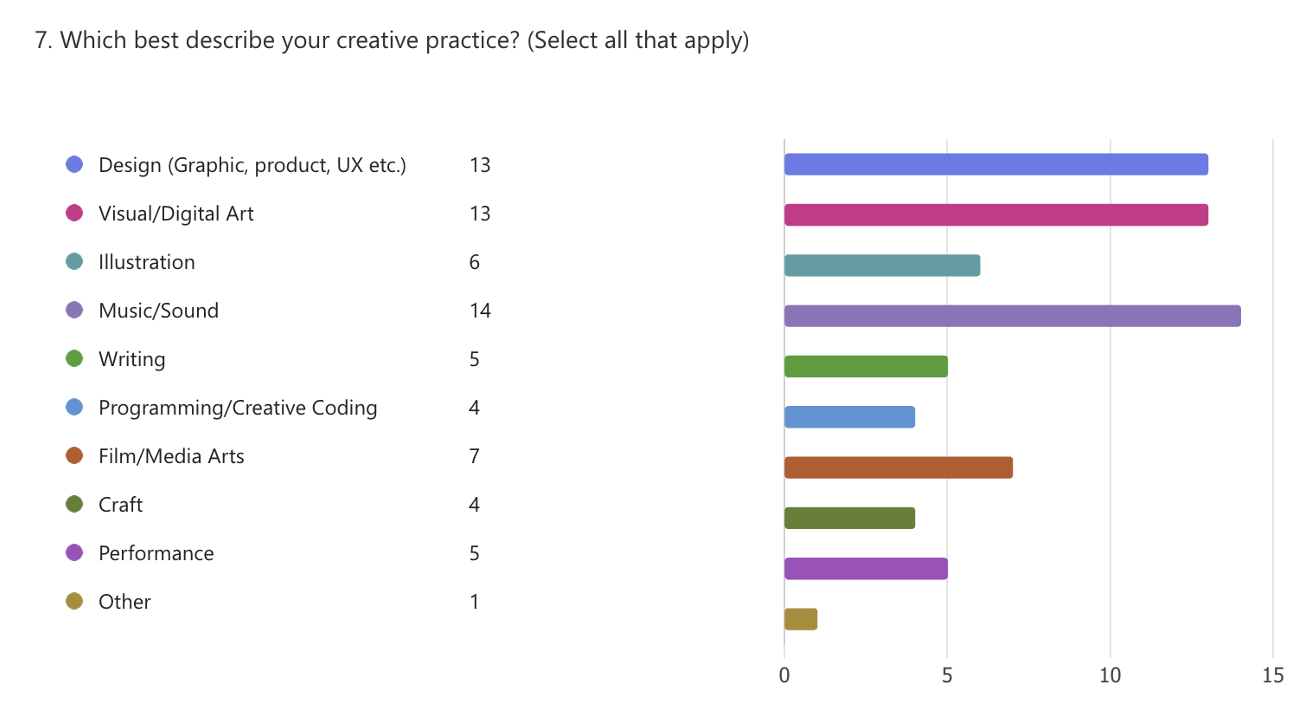
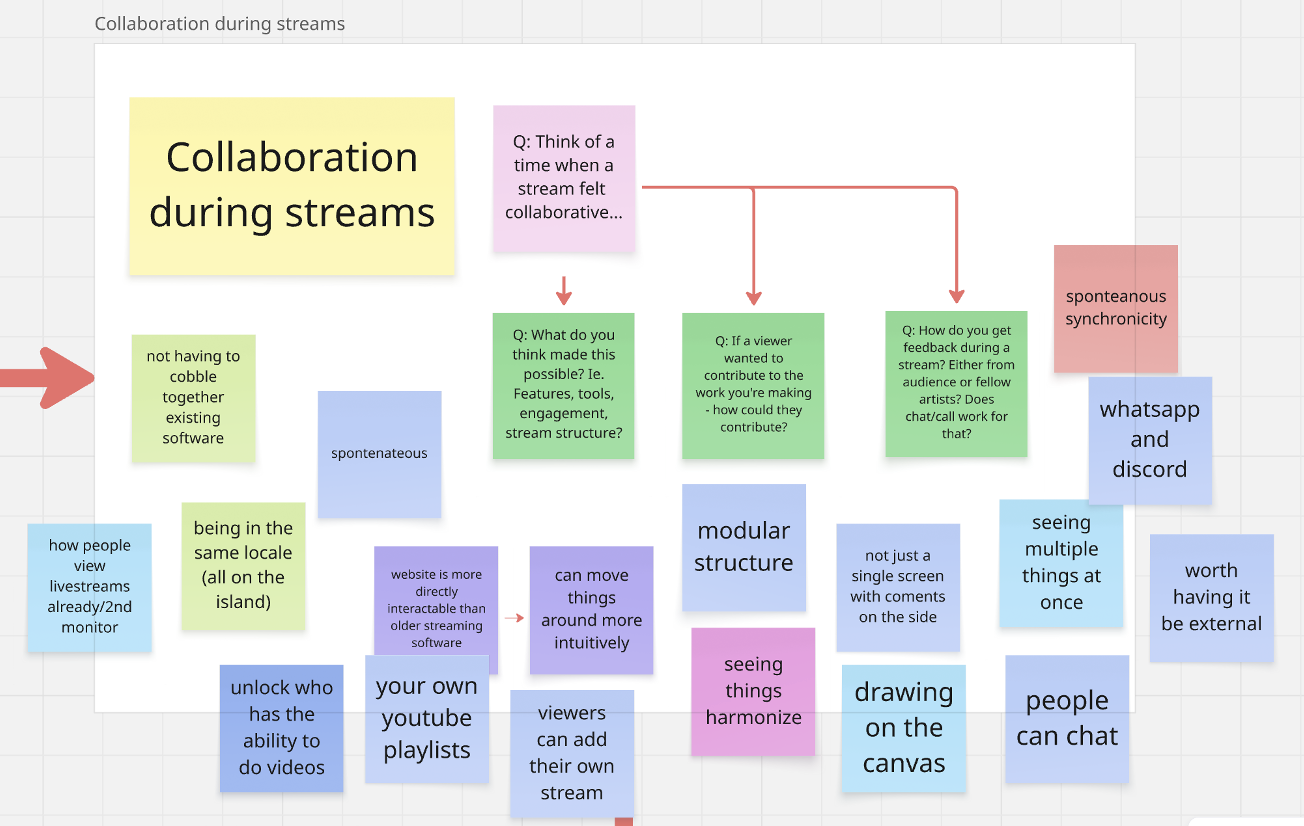
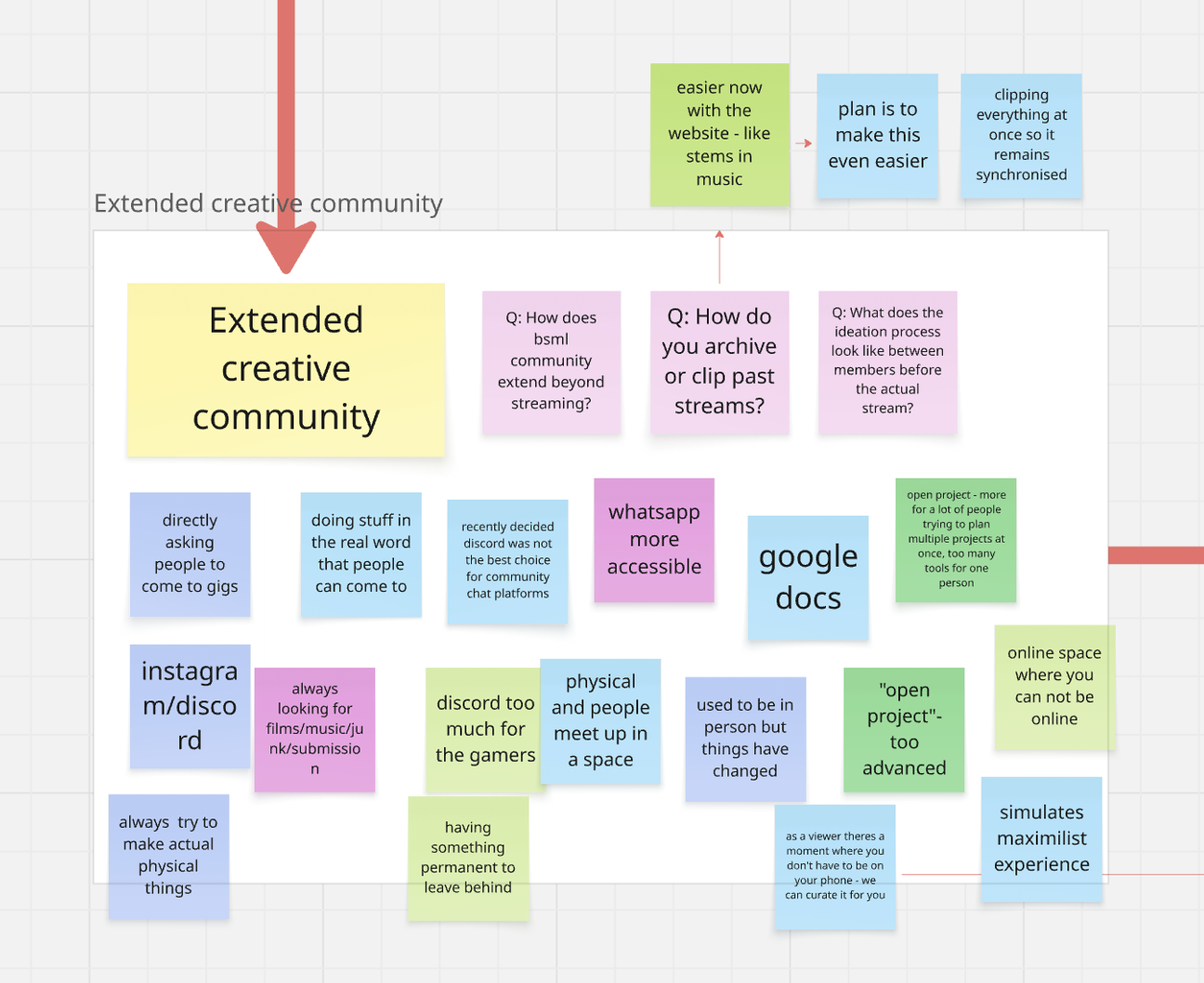
Once I better understood the background of livestreaming I distributed a survey to help identify how creatives currently run collaborative sessions with their existing tools. This helped me understand what tools creatives were already using and why. I later held a focus group with members of a creative livestreaming collective who identified friction with existing platforms: who is in control of a stream, combining existing software to achieve a stable stream, and ways to program scheduled content.
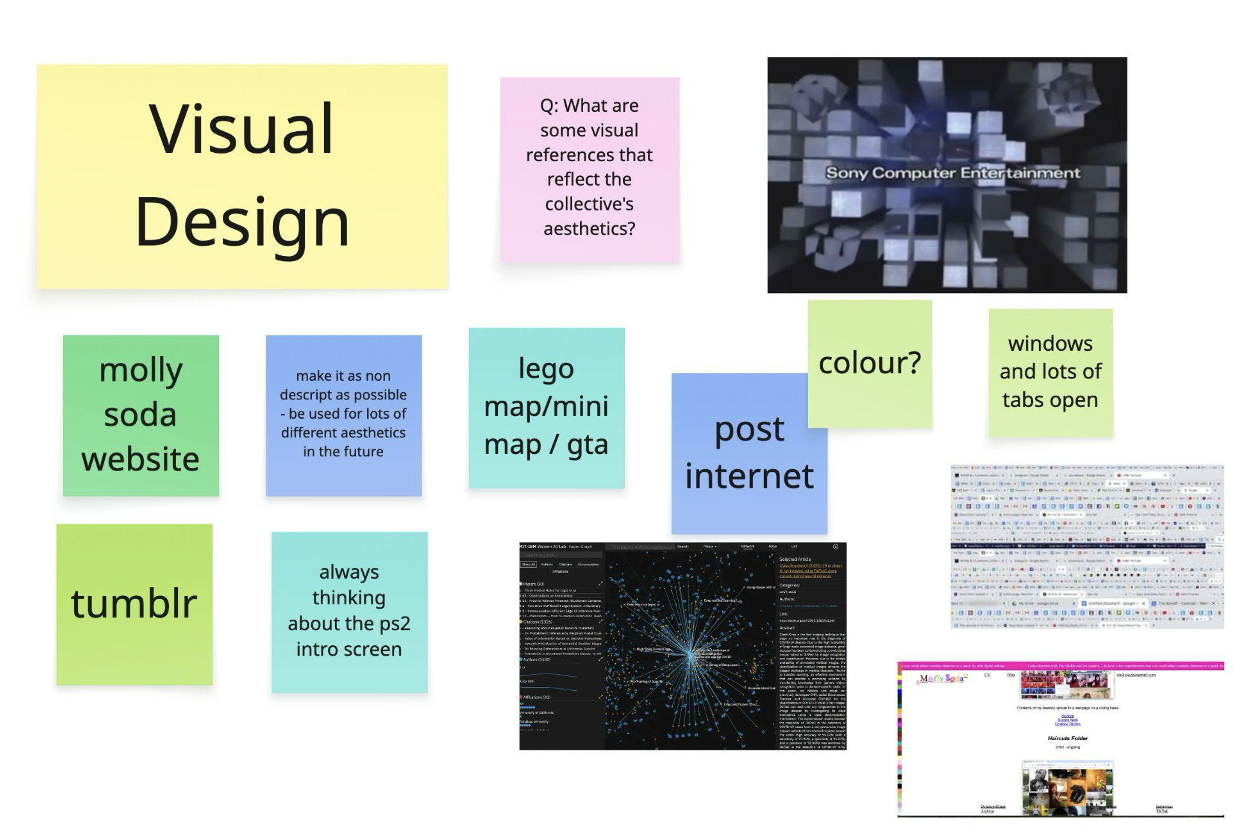
Focus group boards
2 / Define
Overview
- Empathy map
- Personas
- Point of view statements
- How might we questions
- Feature ideation
The research was then synthesised using UX methods, turning findings into a clear design direction.
Empathy map
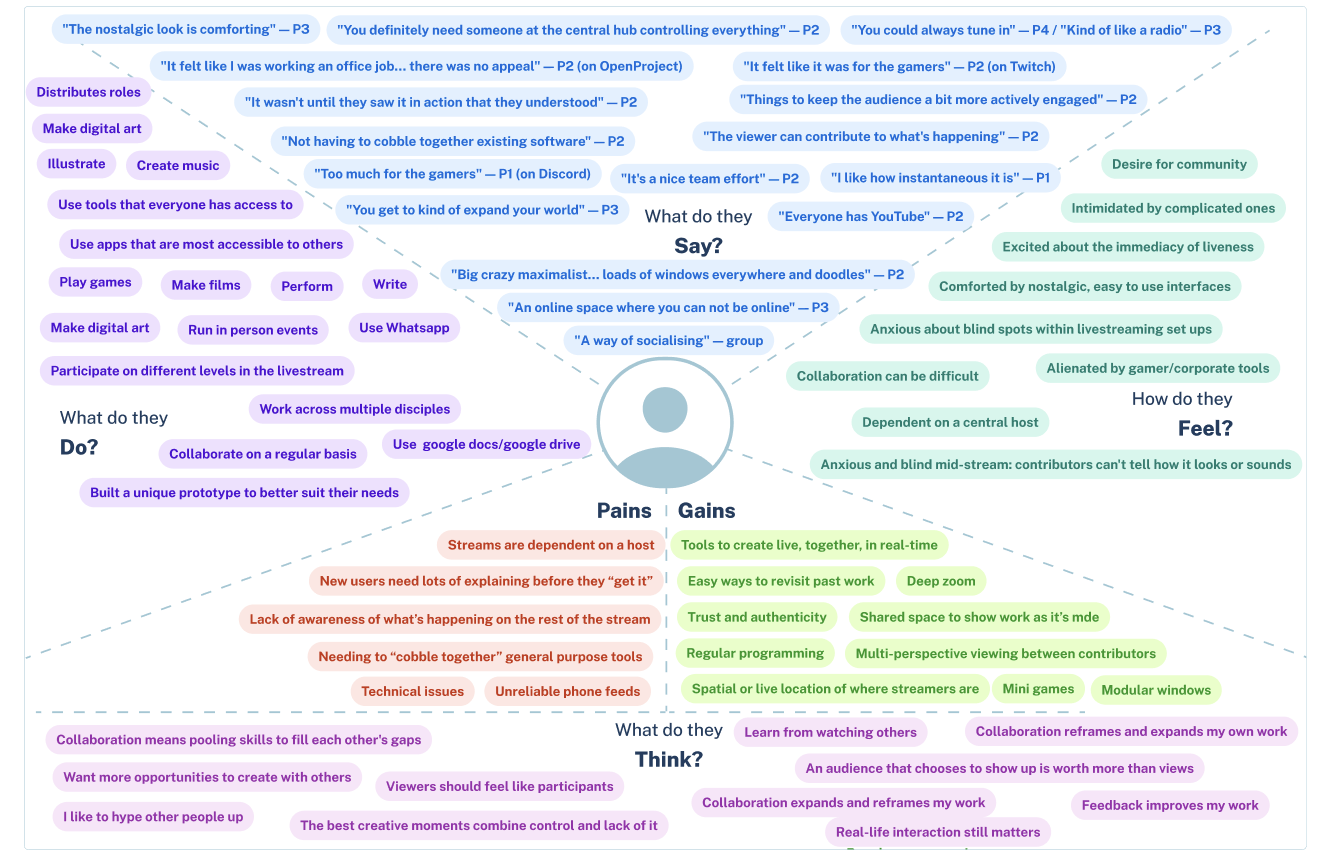
An empathy map brought together what participants said, did, thought and felt, along with their pains and gains, using quotes from the focus group.
Personas
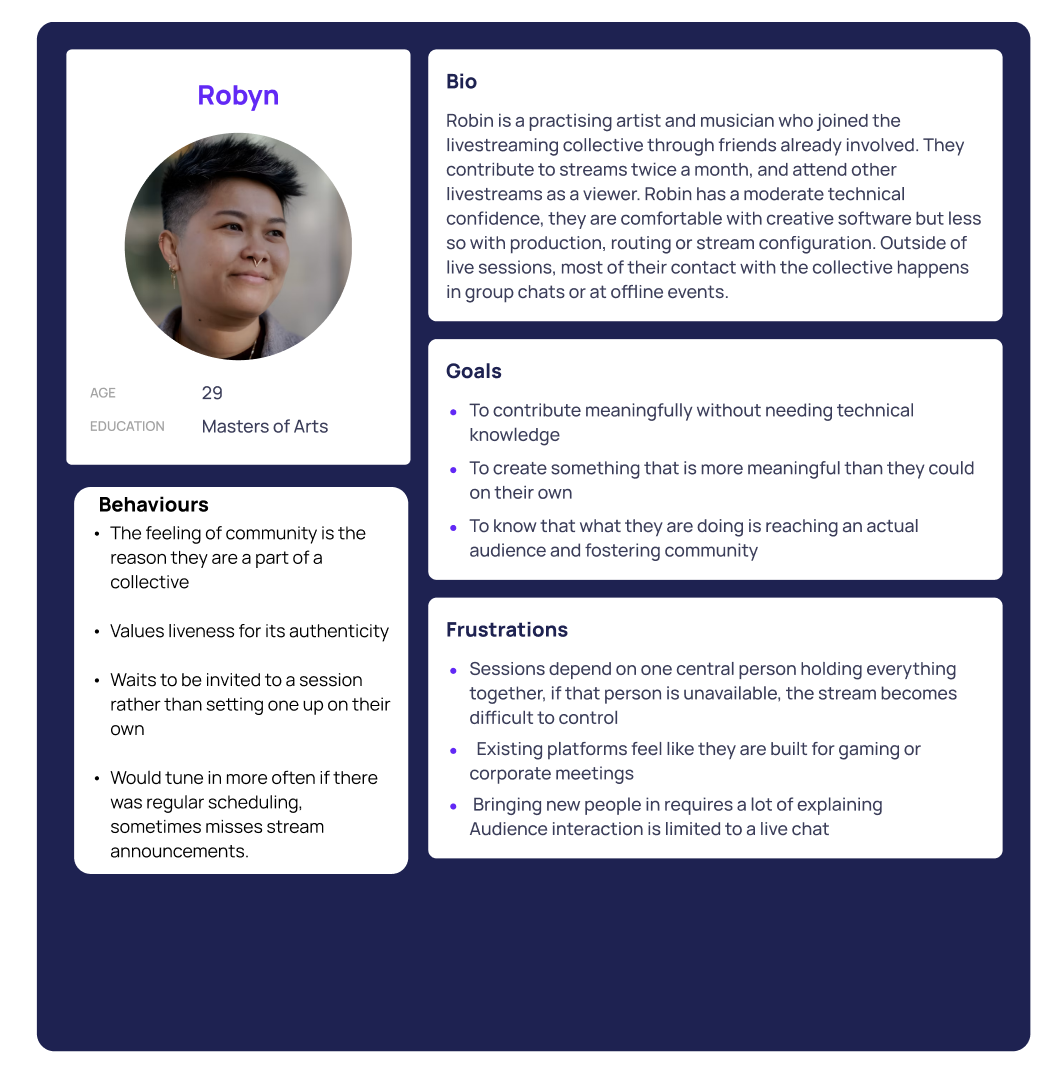
Personas were built from the survey and focus group findings to represent the creatives the platform is for, and the frustrations they share.
Point of view statements
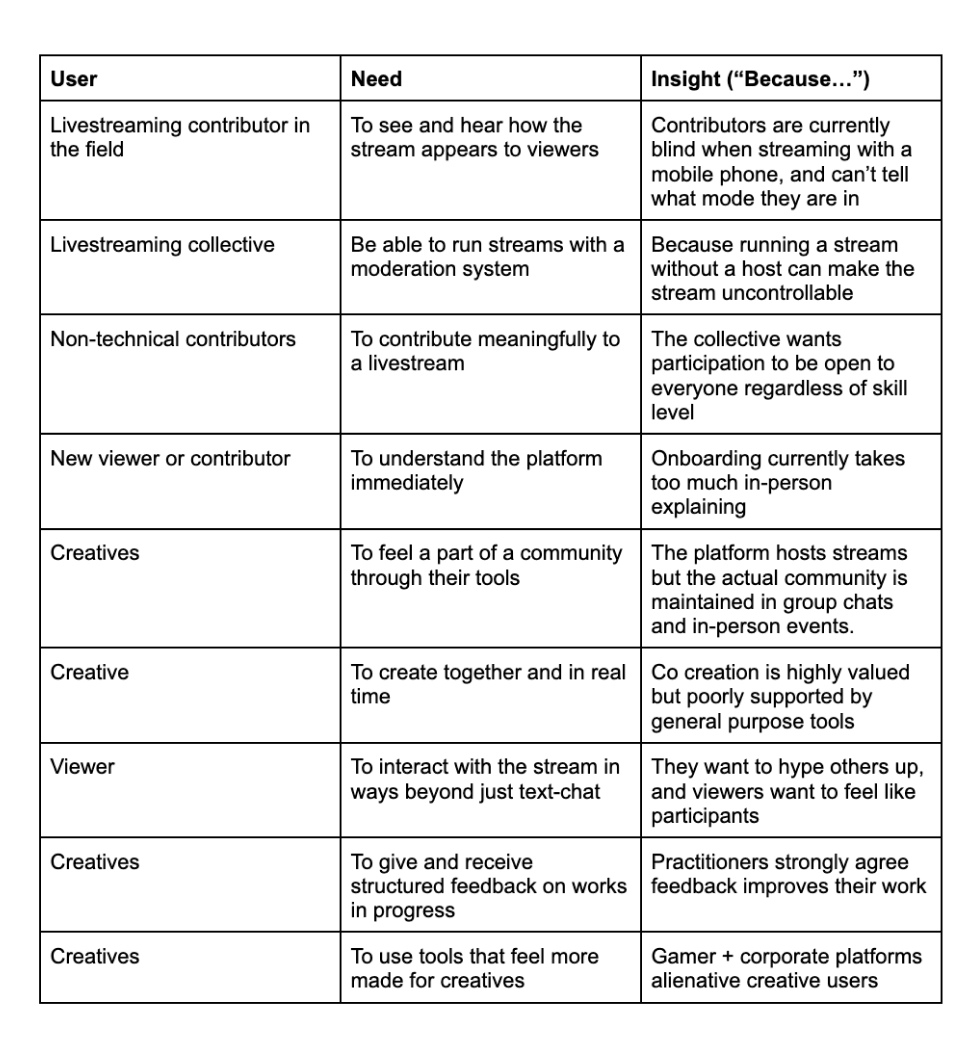
Point of view statements captured each persona’s needs and the insight behind them.
How might we questions
POVs were reframed as How Might We questions, opening the problem up to possible solutions.
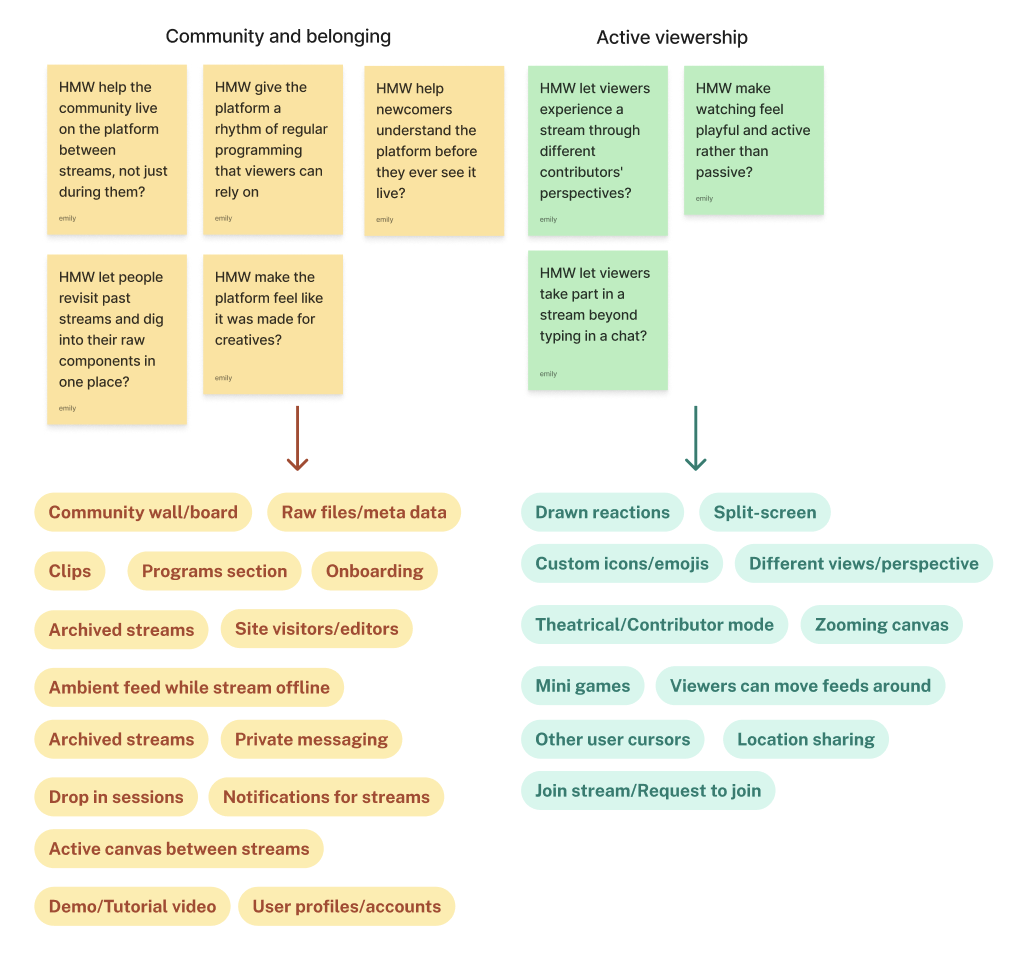
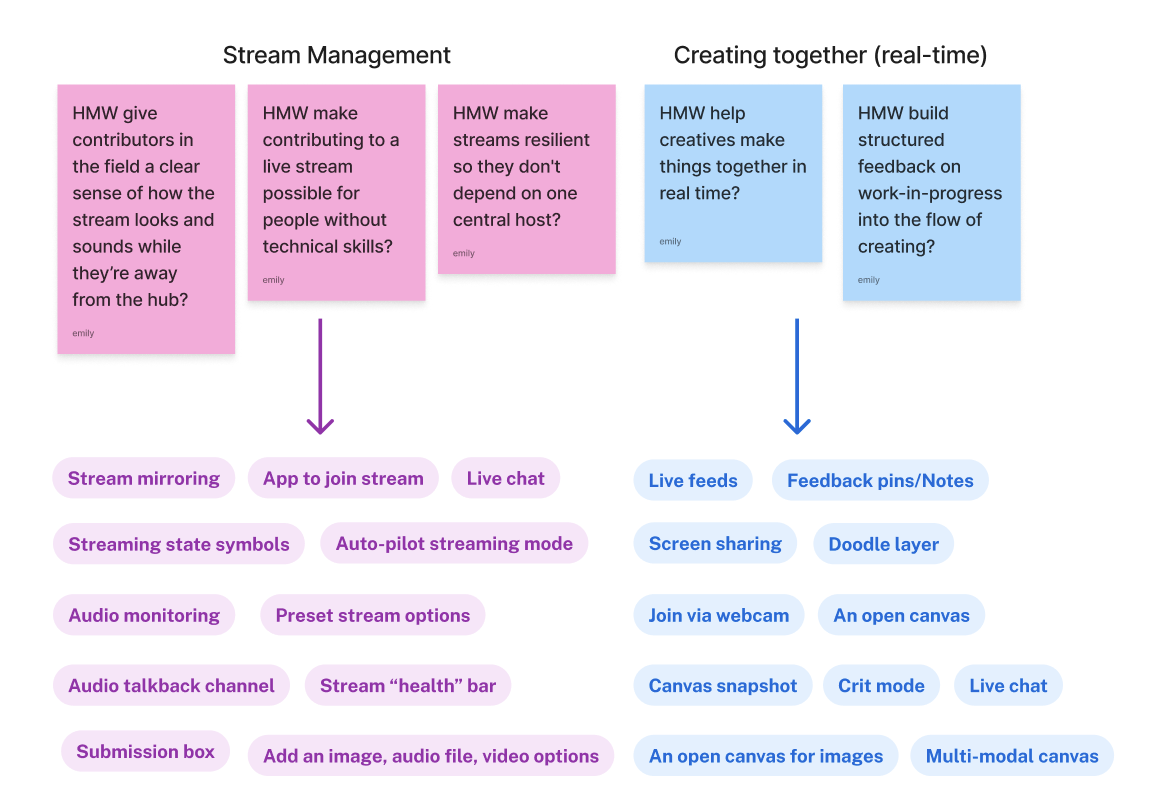
Feature ideation
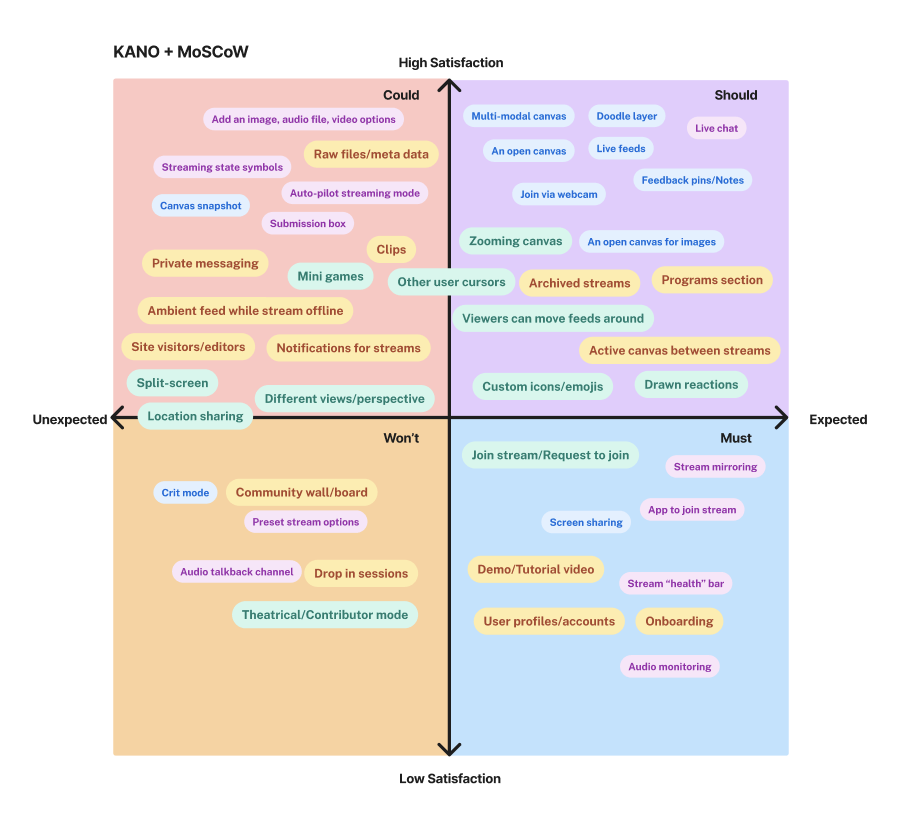
Features were generated in response to the How Might We questions, then prioritised using Kano and MoSCoW diagrams to decide what the platform needed most.
3 / Develop
Overview
- Information architecture and user task flows
- Crazy Eights
- Low fidelity wireframes
- Early stage informal user testing
- Visual identity
The develop stage marks the start of the second diamond in the double diamond design process. This stage involves moving from a defined problem, thinking widely, and exploring possible solutions.
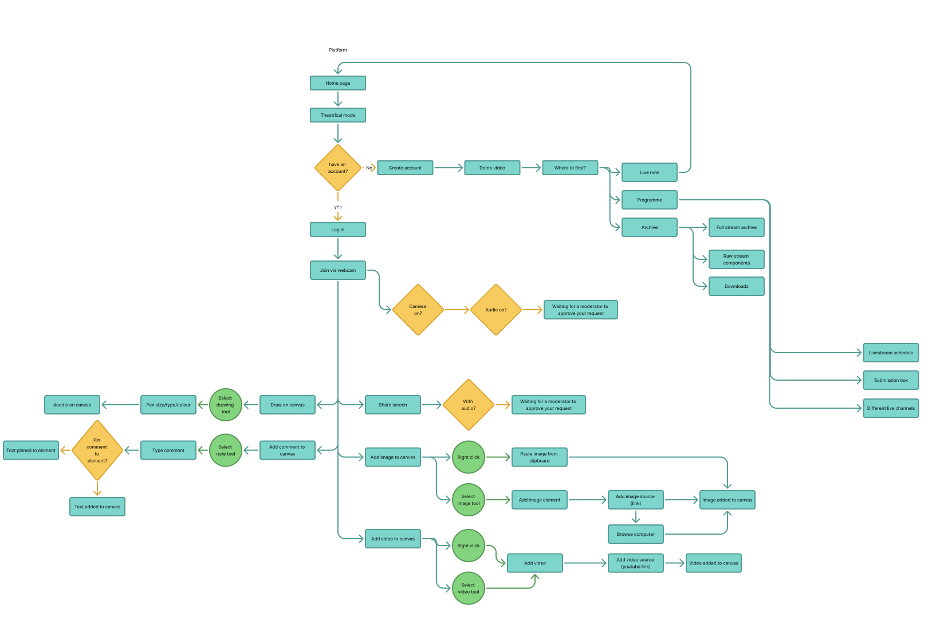
Information architecture and user task flows
The platform’s structure and the key tasks users would complete were mapped out before any screens were drawn.
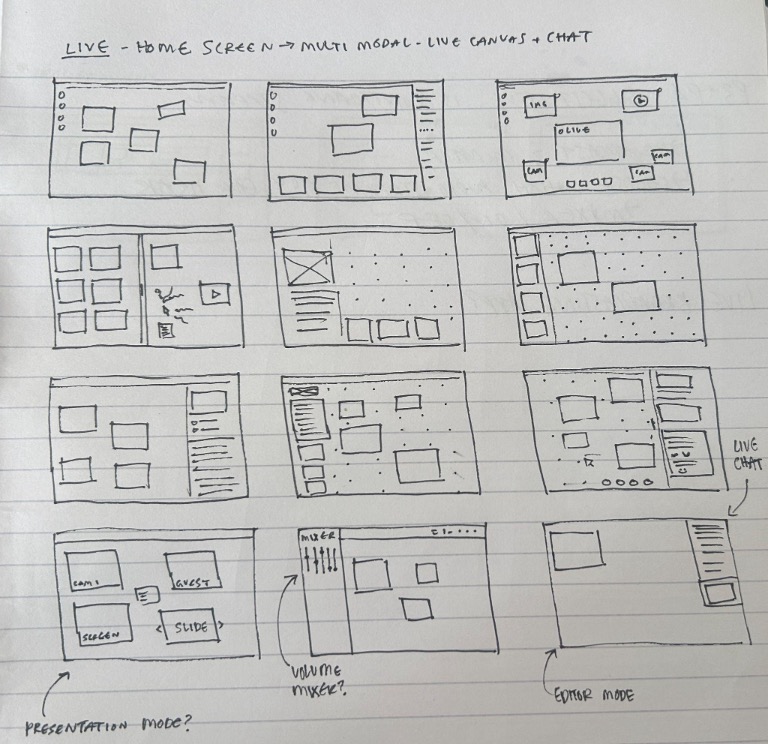
Crazy Eights
Rapid sketching generated a wide range of layout ideas for the core streaming experience.
Low fidelity wireframes
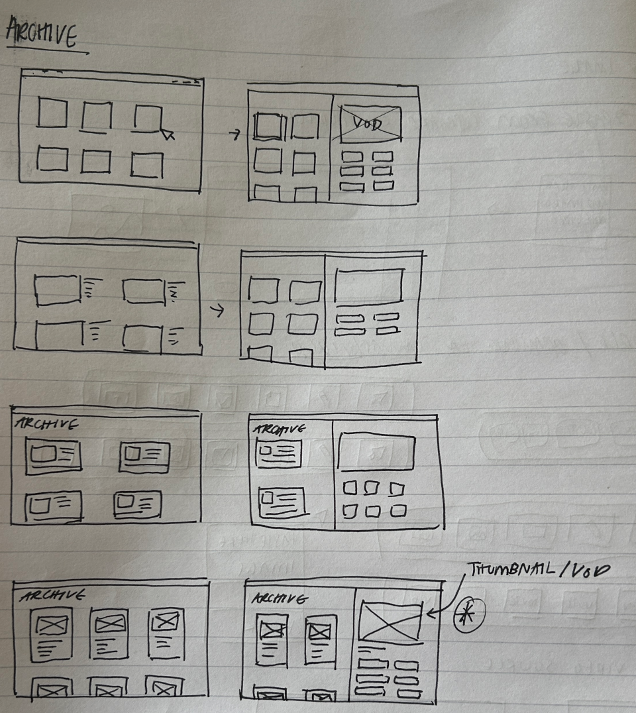
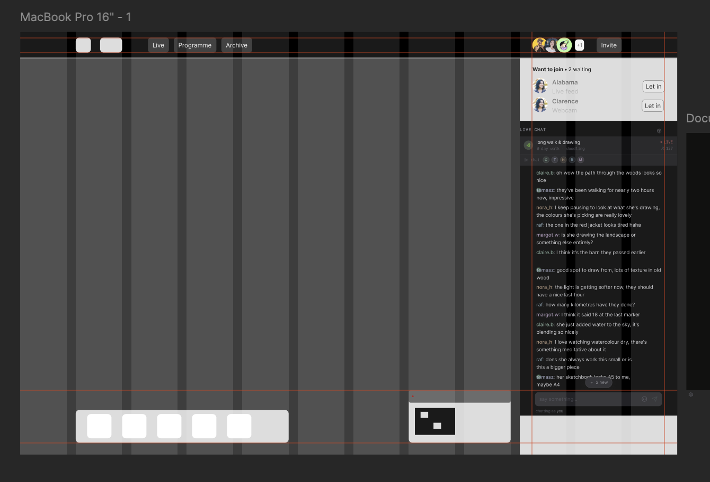
The strongest sketches were developed into low fidelity wireframes.
Early stage informal user testing
Wireframes were tested informally with friends and family to catch problems early, before moving into high fidelity design.
Visual identity
The visual identity came directly from the focus group’s visual design discussion. The collective had rejected existing platforms because they felt made for other people, so their responses were treated as design constraints.
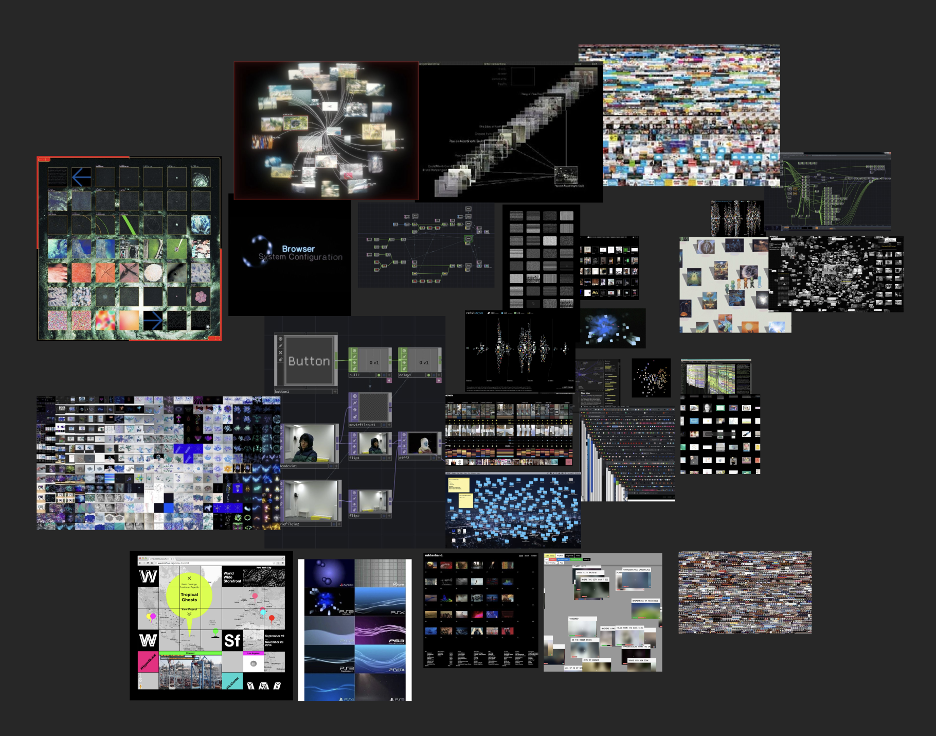
Mood boards
I made three mood boards: light collaborative tools, internet nostalgia, and dark node-based creative tools. The first felt too much like the office software participants had rejected, and the second carried too much personality of its own. The third was chosen because its dark background lets colourful media stand out, and its node-based references echo how the collective is structured.
Style tile
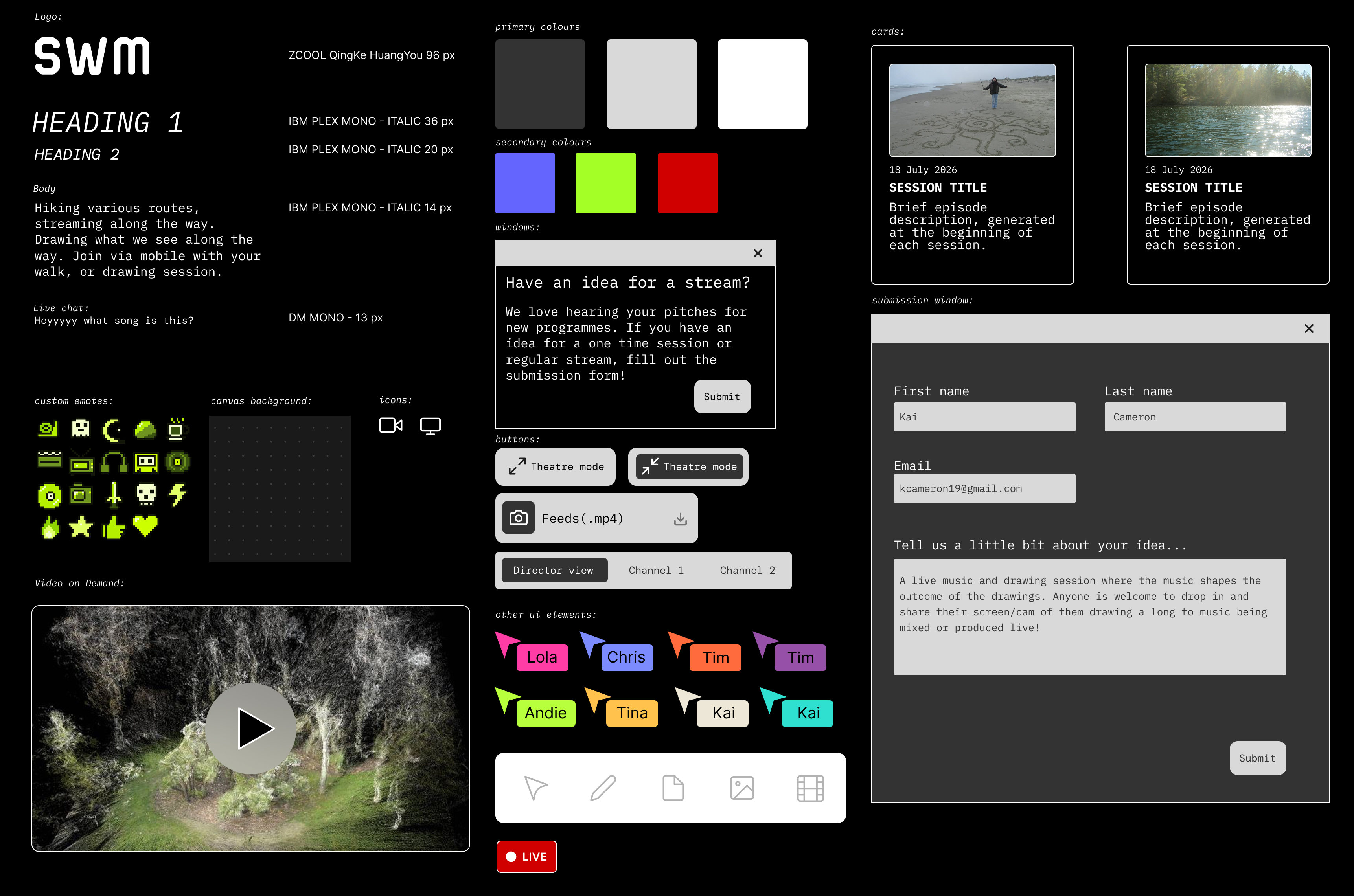
The style tile takes its black, grey and white palette from the chosen mood board. It sets out buttons, a canvas toolbar, brightly coloured named cursors to make collaboration visible, and pixel-art emotes for the live chat.
Accessibility
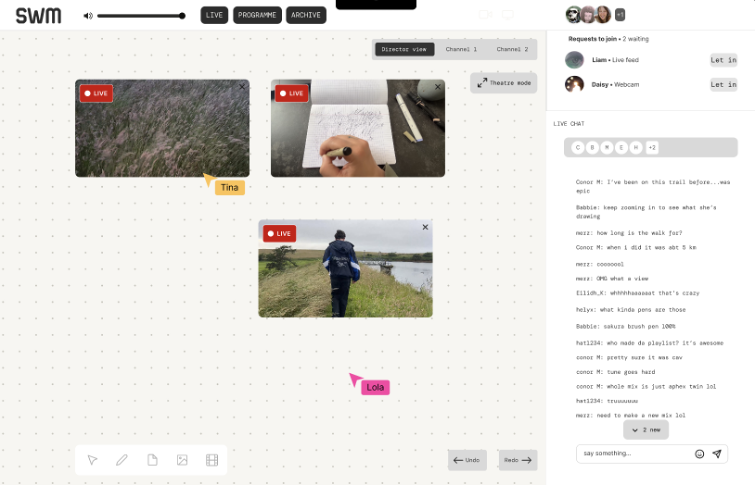
Text and interface elements were checked against WCAG contrast ratios in Figma, and a light version of the interface was made for users who find dark interfaces harder to use.
4 / Deliver
Overview
- Final prototype
- User testing
- Usability test results
- Areas for improvement
Final prototype
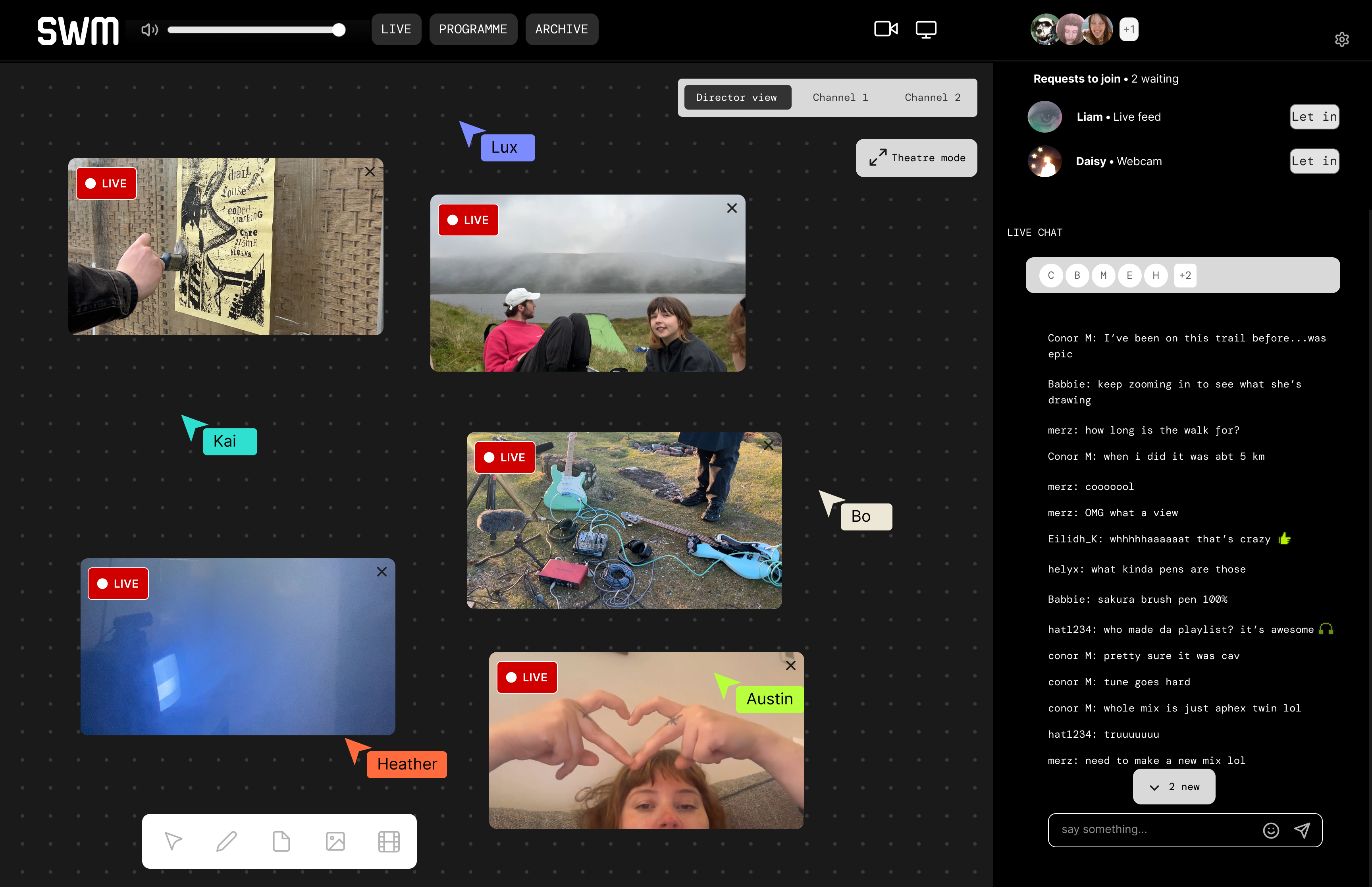
The findings were used to develop a prototype design in Figma. The platform “Stream Works Media” allows users to stream many to many. The platform is based around a collaborative canvas. Here users can join a session via webcam or screenshare, draw, add notes, and chat live. The platform was designed, in a way, by and for creatives, since their ideas shaped the final design.
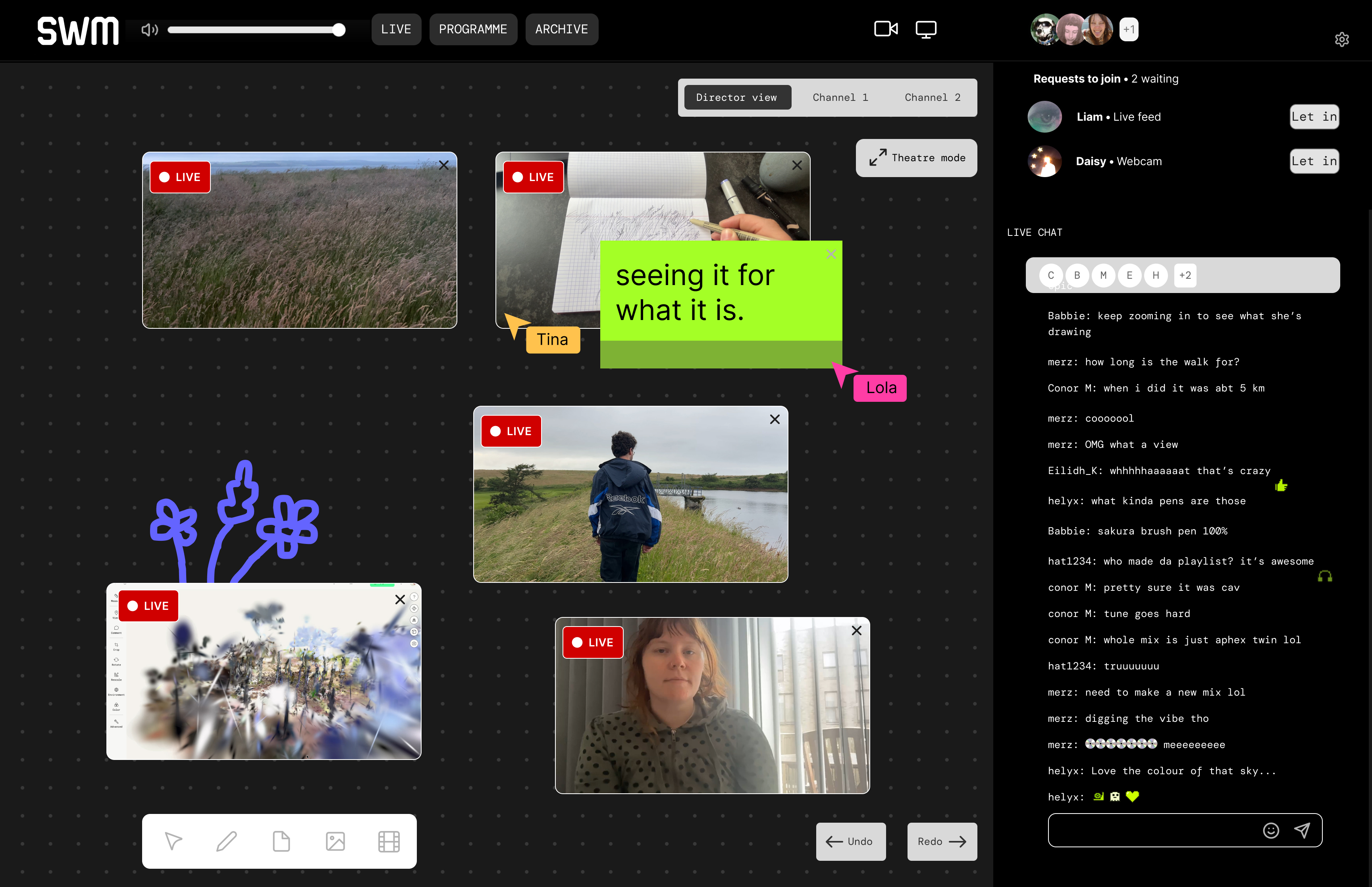
The live canvas in director view.
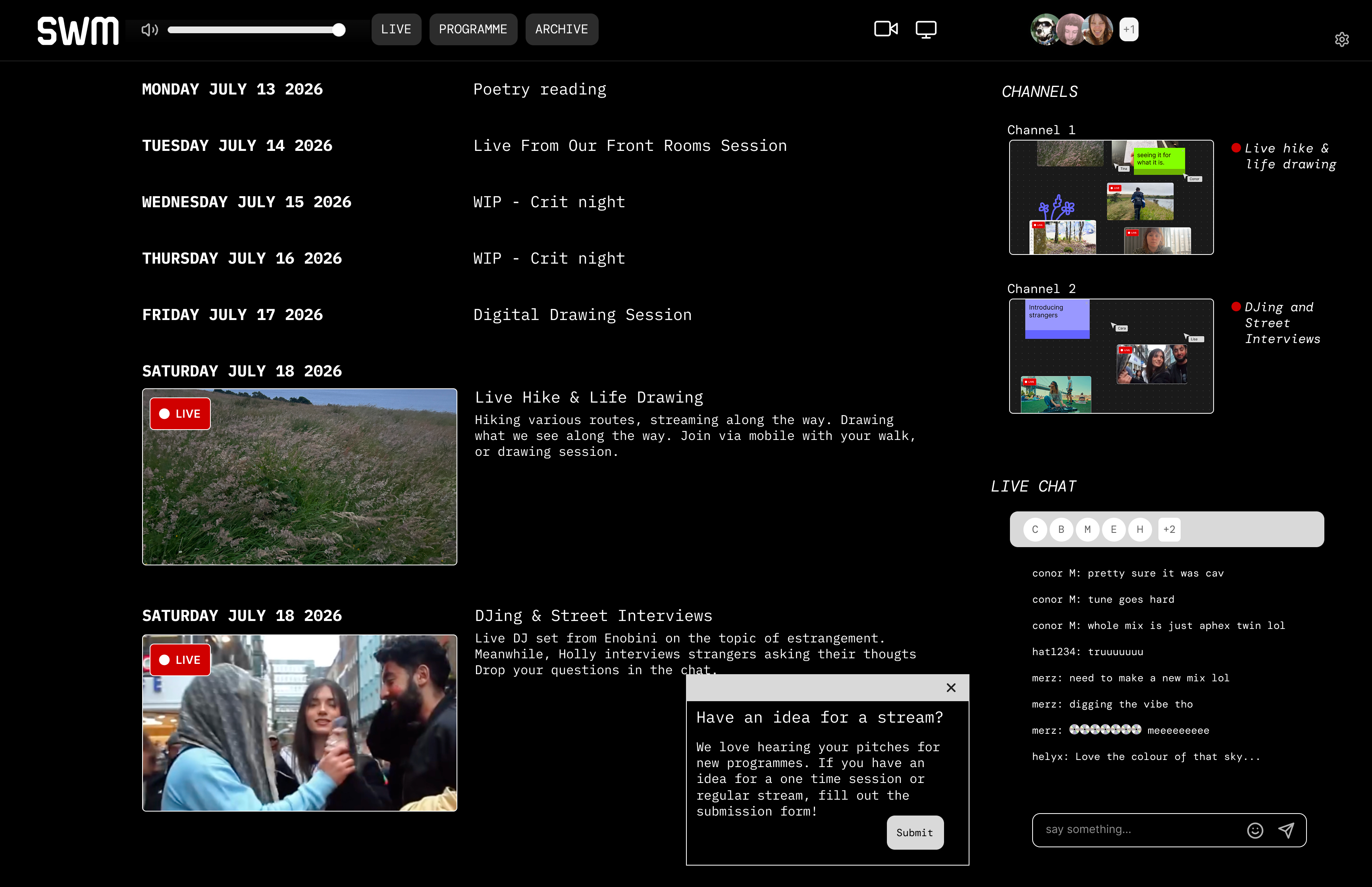
The programme page, with scheduled sessions, channel previews and a submission form.
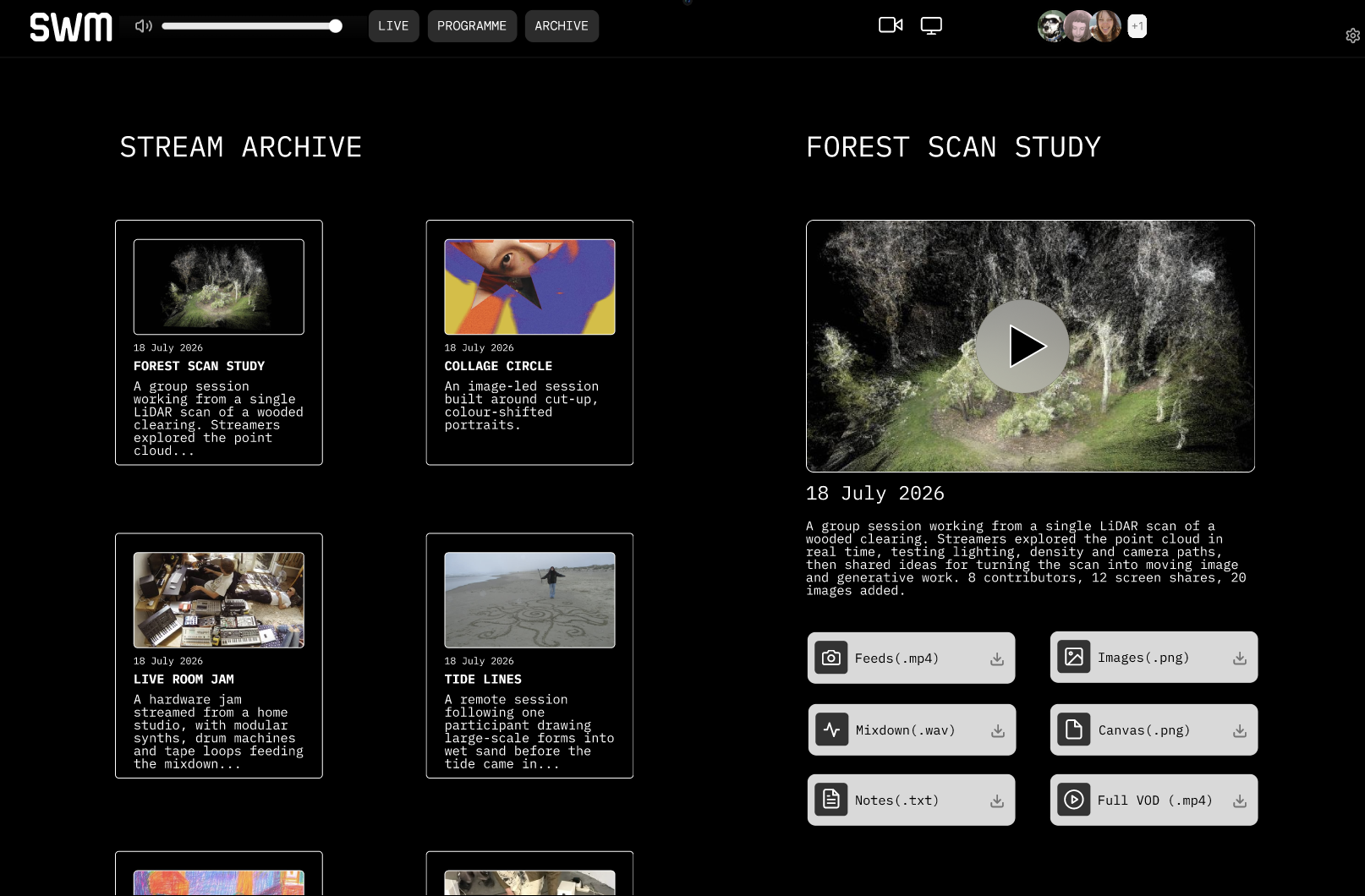
The stream archive, where past sessions can be rewatched and their feeds, audio, canvas and notes downloaded.
User testing
The prototype was usability tested with five participants working through a series of tasks. Testing checked whether shared control was legible without explanation and whether the staging state removed the pre-stream scramble described in the focus group.